Cal. DD4131 / DD4130
VSF Rolex Daytona 116500 Series – Classic DD4130 Chronograph
This guide follows the DD4130-labelled 116500 family, where the familiar 116500LN dial and ceramic bezel are key comparison points. Establish the exact reference and whether it is shown on a bracelet or strap. Then compare chronograph response, pusher operation and the appearance of the counters using the same capture conditions. Put the reference and bracelet type on the QC record.
Catalog products
Product listings are being prepared for this collection.
Ask about a referenceMovement & case architecture
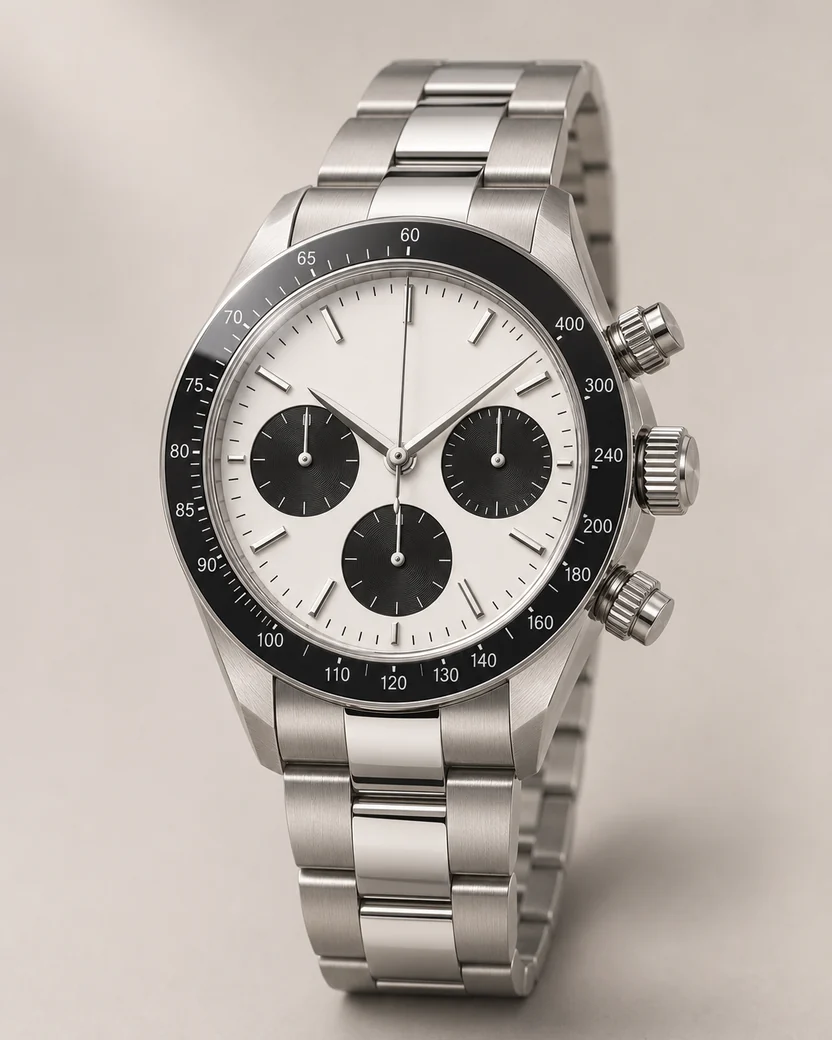
For 116500LN-style references, use a full dial photo where the tachymeter and all three counters are visible. Note each dial colour combination independently. Strap and metal bracelet versions have different fitting dimensions, and a regional or batch description may use shorthand that is not visible in that photograph. Confirm the actual bracelet and clasp in the camera’s field before evaluating wearability.
A DD4130 check starts when the center hand is at its zero mark. Before running the chronograph, confirm the crown and pusher caps are in their appropriate operating states. Start it, let at least one relevant elapsed display advance, then stop and reset according to the watch’s controls. Photograph the reset state before setting or moving anything else. For a movement identification, retain the label supplied for the same case.
Collector’s benchmark
Evaluate the minute-track spacing around the edge and the quality of the tachymeter engraving from two angles. The ceramic surface can reflect a bare window and obscure an otherwise clear number. A low-power close-up helps reveal how the tachymeter numerals sit in their markings and how the border of the ceramic insert meets the case. Compare front and oblique views together.
Check the bracelet’s end link from each side, and inspect the pusher threads if they are visible in the inspection packet. Slightly different viewing positions can hide the depth of the joint or make both caps look unequal. For timing, note whether the chronograph was running at the time of the trace. Use the same condition in all readings you compare.
116500 DD4130 FAQs
Which check distinguishes a cosmetic issue from a functional pusher issue?
Use a video of normal operation, then add a close photo of the pusher and its cap. A photograph can show a blemish or gap, while the recording shows whether the control starts, stops and resets consistently.
Can I carry over the 126500 thickness figures?
Use a measurement specific to the 116500-style specimen. The bezel, crystal and case back are part of the measured height, so another reference’s figure can mislead.
What should be documented after the chronograph stops?
Keep a clear view of the center seconds and the elapsed display before you reset. Record how far they travel and show their resting positions after reset. If you request a second video, start from the same indicated zero so both cycles can be compared fairly.