Cal. VS3230
VSF Rolex Oyster Perpetual 41mm (Ref. 124300) – VS3230 Series
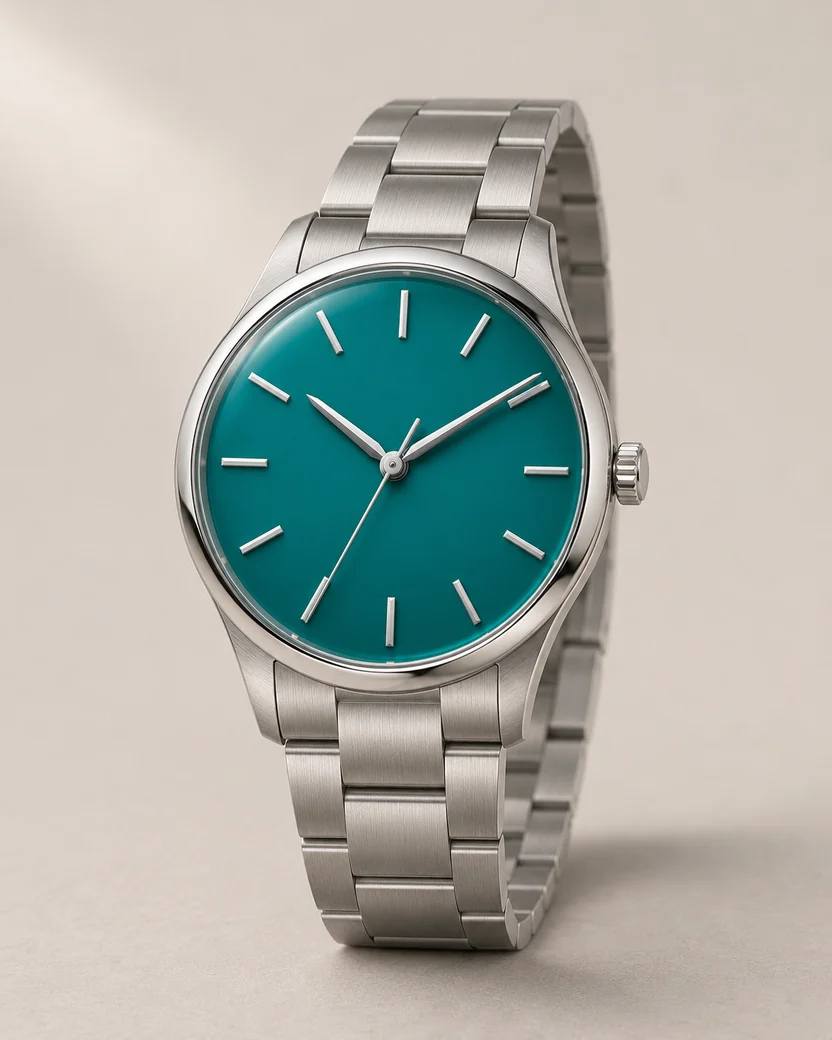
The 41mm Oyster Perpetual guide follows the 124300 design and its VS3230-style time-only controls. Bright, green and Celebration-style dial options are best distinguished from neutral-light detail photographs. Check the arrangement of markers, the behaviour of the crown detents and the actual bracelet fit on the sample shown. Use the same photo setup when comparing dial options.
Catalog products
Product listings are being prepared for this collection.
Ask about a referenceMovement & case architecture
The 124300 reference family uses a time-only layout. A wide 41mm dial offers space to compare minute markers against the edge of the face, but a camera held very close can distort that spacing. Use a straight image at a normal working distance. Then request a tighter photograph of the model text, markers and hands for details that do not read in the wide image.
The VS3230-style discussion should start from the crown. Record the number of detents, when winding engages and whether the seconds stop during hand-setting. If an extra detent is felt, note it so that the buyer can ask for the explanation tied to that build. Avoid making a movement claim from the dial alone, even if the watch has the expected no-date appearance.
Collector’s benchmark
On a turquoise or green lacquered dial, make one neutral-angle and one tilted image. Use the same light source to separate the shade from reflections on the crystal. On Celebration-style designs, check the distribution of shapes around the hands and hour markers. You need enough detail to see the edges and enough distance to see the whole pattern.
Inspect the bracelet against the case sides. Ask for a top view showing the first link transition, then a side view with the watch held at the same height. The scale of a 41mm watch on the wrist is influenced by those extensions as well as by the dial diameter. Compare a clasp photo and link count when choosing a size.
41mm Ref. 124300 FAQs
Can I identify the movement from a 124300-style dial?
The dial identifies the intended layout. Ask for a crown-operation record or a movement image linked to the exact specimen to check the underlying calibre.
Why do bright dials look different across photos?
Lighting temperature, exposure and crystal angle change the apparent colour. Two images made in different angles under the same neutral light are more useful than one heavily lit photo.
Which visual checks help with a patterned dial?
Start from a complete image so you can see the distribution of shapes and their relationship to the hour markers. Then ask for a detail with the relevant portion clear of the hands. Check the edges of the shapes in neutral light before comparing colours between separate images.